
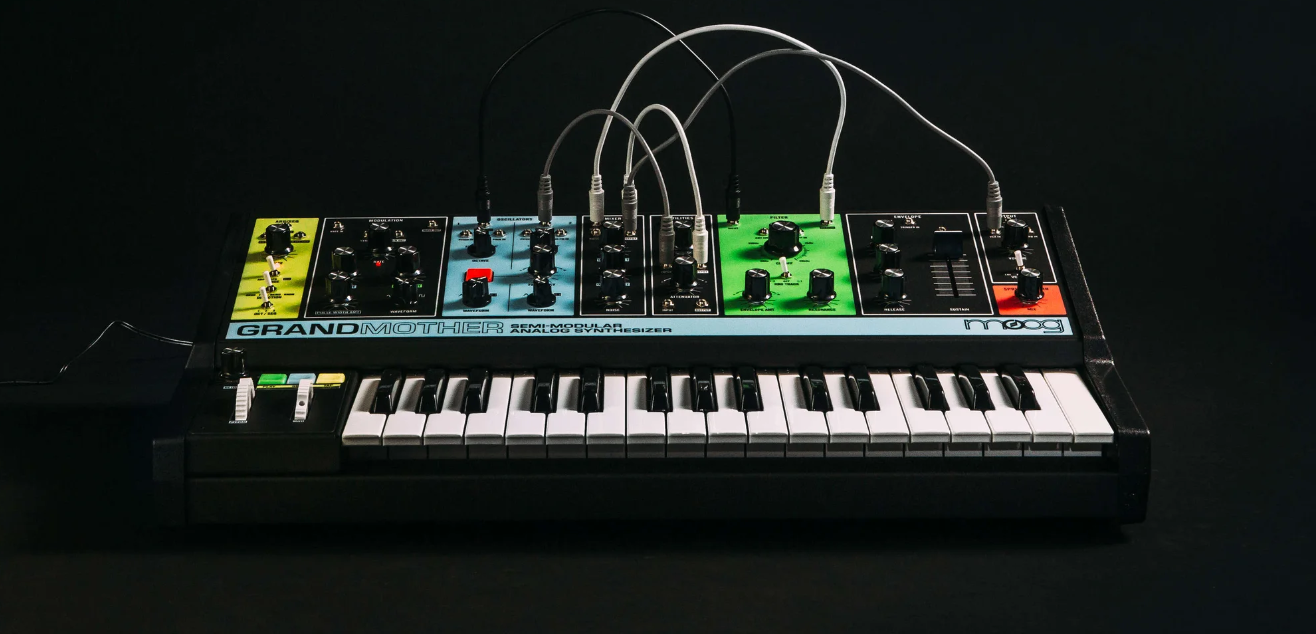
For general troubleshooting of the Grandmother, we recommend the following steps in order:
TABLE OF CONTENTS
SysEx Software
Some of these troubleshooting steps requires the use of a SysEx software. This is a piece of software specifically designed for sending and receiving SysEx (.syx) files. These procedures specifically require sending the SysEx files from the software to the synth. Below are the two recommended SysEx software, and their associated method for setting up a MIDI output.
SysEx Librarian (Mac) - The synth will appear in the drop-down menu at the top of the screen.
Bome Send SX (Windows) - Go to MIDI Out and select the synth from the choices provided.
If you are having issues sending a SysEx file, a common solution can be to adjust the SysEx data transfer speed to transfer slower.
SysEx Librarian - Settings > Transmit Speed
Bome Send SX - Options > Settings > Actual MIDI Speed
INIT Patch Setup
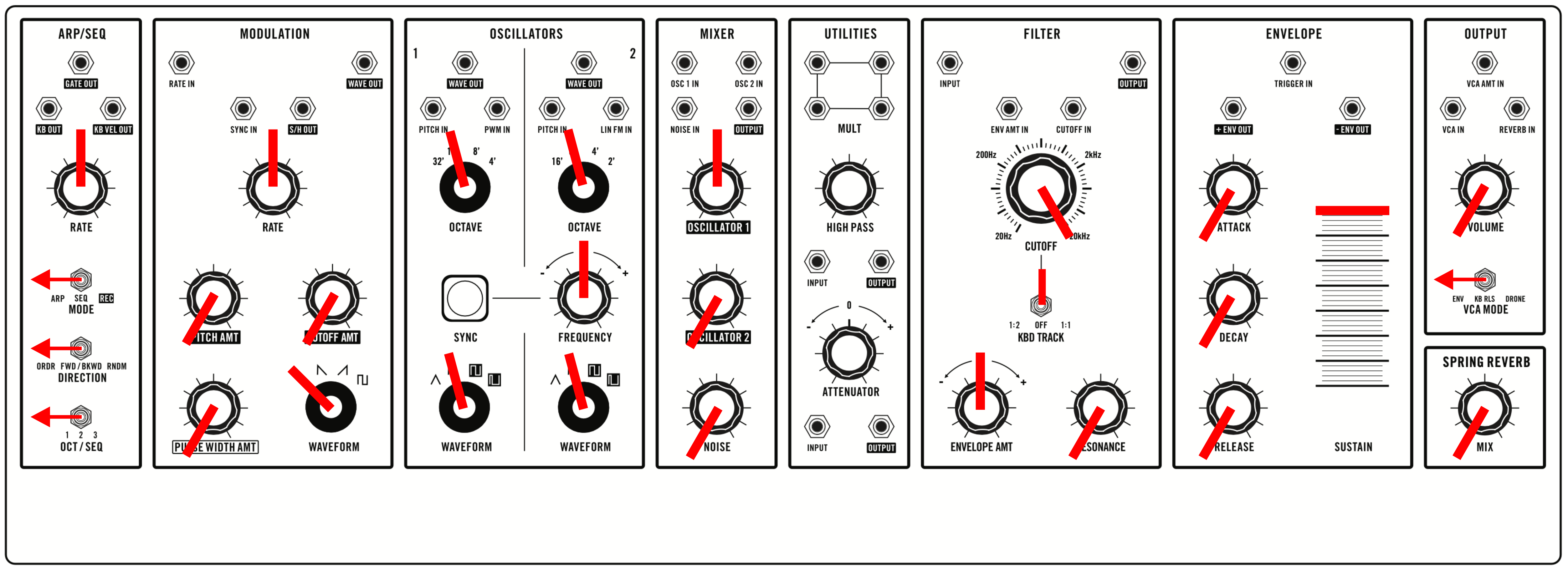
To rule out the possibility that your current patch is causing the problem, switch the synth to an INIT (initialized) patch. Set your panel to match the settings shown here:
Global Reset
- Hold down the HOLD and SYNC buttons for three seconds until you see the SYNC button blinking.
- Hold the highest black key (A#2), and while holding it press the lowest black key (F#0). You will see the three buttons on the LHC blink rapidly for a moment to confirm that the reset happened.
- A video detailing how to perform this procedure can be found HERE.
Note Calibration
- Hold down the HOLD and SYNC buttons for three seconds until you see the SYNC button blinking.
- Once blinking, hold the PLAY, HOLD, and TAP buttons, and then press the lowest white key on the keyboard.
- A video detailing how to perform this procedure can be found HERE.
Pot Calibration
- Download the Pot Calibration files HERE.
- Connect a USB cable from Grandmother to your computer.
- Open your SysEx sending software & select the Grandmother as the MIDI Out.
- Start by turning the following knobs fully counter clockwise – GLIDE, ARP RATE, LFO RATE, OSC 2 FREQ.
- Set the FINE TUNE control on the back fully counter clockwise (looking at the back of the Grandmother).
- Hold the PITCH & MOD WHEELS at their lowest position and send the “Grandmother_Pot_Cal_LOW.syx” file to the Grandmother.
- Now turn all the knobs mentioned fully clockwise. Set the FINE TUNE control fully clockwise (looking at the back of the Grandmother).
- Hold the PITCH & MOD WHEELS at their highest position and send the "Grandmother_Pot_Cal_HIGH.syx" file to the Grandmother.
- Now set all the knobs mentioned to their center/middle/12 o’clock position including the FINE TUNE control and the PITCH & MOD WHEELS.
- Send “Grandmother_Pot_Cal_CENTER.syx” to the Grandmother.
- This completes the pot calibration.
- A video detailing how to perform this procedure can be found HERE.
Firmware Update
- Download the firmware files HERE.
- Connect a USB cable from Grandmother to your computer.
- Open your SysEx sending software & select the Grandmother as the MIDI Out.
- Select the SysEx file “Grandmother_FIRMWARE_INVALIDATE.syx” included with this download and click Send. On the Grandmother, the Arp Rate LED will start blinking red/green.
- In the SysEx sending software, re-select Grandmother as your MIDI output device (Grandmother reboots and needs to be re-selected after INVALIDATE).
- Select the SysEx file “Grandmother_FIRMWARE_ERASE.syx” included with this download and click Send. On the Grandmother, the Arp Rate LED will blink red three times then blink green steadily. Grandmother is now ready for new firmware.
- Select the new firmware file “Grandmother_Firmware_v1_1_3.syx” included with this download and click Send. The Grandmother Arp Rate LED will blink yellow-orange while receiving.
- You’re done! Grandmother will reboot to the new firmware when done.
- A video detailing how to perform this procedure can be found HERE.
If the Grandmother Arp Rate LED is still blinking yellow-orange after the firmware has finished sending, or if the Arp Rate LED stops blinking and the unit does not reboot automatically once firmware has finished sending, you should try again.
Turn the Grandmother power off and on again, disconnect and reconnect the USB cable, and then start over at step 1. You can retry as many times as necessary and it will not hurt the hardware. If it doesn’t work after two or three tries, you should contact Moog Technical Support for further assistance.