If you already own Komplete Select and want to upgrade to the Komplete 15 Collectors Edition, we recommend the following steps:
- Log into the NI website with the same e-mail address you used to activate your NI products.
- Add Komplete 15 Standard Upgrade to your shopping cart:
https://www.native-instruments.com/pricing/komplete-15-standard/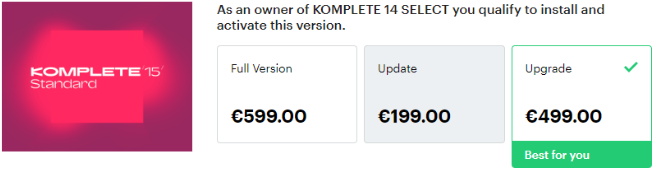
- Now, add Komplete 15 Collectors Edition Upgrade for Standard to your shopping cart:
https://www.native-instruments.com/pricing/komplete-15-collectors-edition/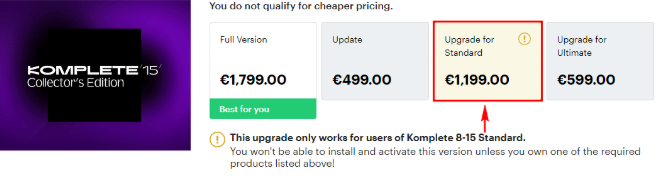
Please ignore the warning that you don't own the qualifying base product! Our webshop scans your existing registrations - and not the shopping cart!
- Proceed with your purchase.
- Once you receive your order confirmation e-mail, open the My Products and Serials area in your NI account.
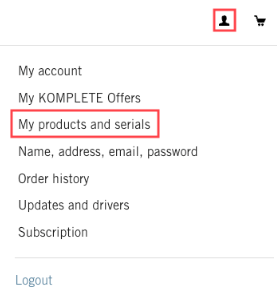
- Here you will find the Komplete bundle serial numbers.
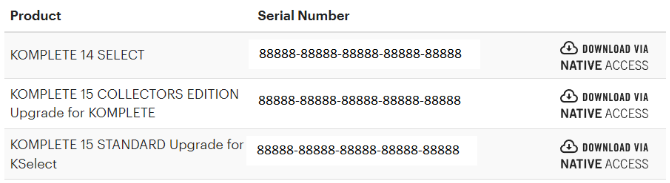
- Start Native Access to add the Komplete bundle serial numbers in successive order:
Komplete Select > Komplete 15 Standard Upgrade > Komplete 15 Collectors Edition Upgrade.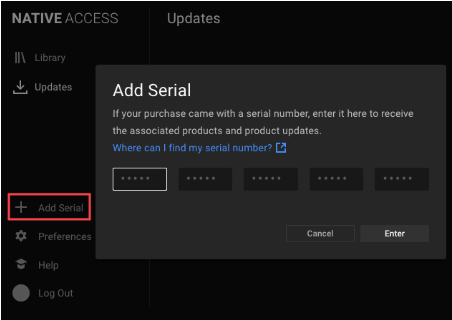
Note: If you've already registered Komplete Select, you only need to enter the Komplete 15 Standard and Collectors Edition Upgrade serials.
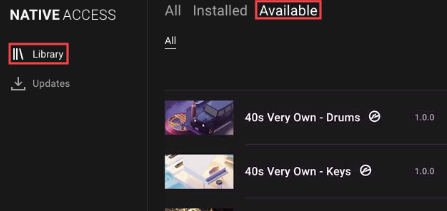
- After entering your serial numbers in Native Access, go to Library > Available to find your Komplete product downloads.