
If you need to update your Native Instruments account password, you can do this at any time through your account settings.
This guide walks you through the steps to securely change your Native ID password so you can continue accessing Native Access, the NI website, and the community.
Note: The password for your user account is the same for Native Access, native-instruments.com and the Community Forum.
Changing Your Native ID Password
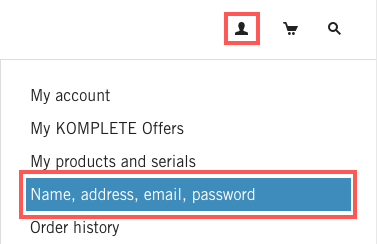
- Click on MY ACCOUNT and choose Name, address, email, password.
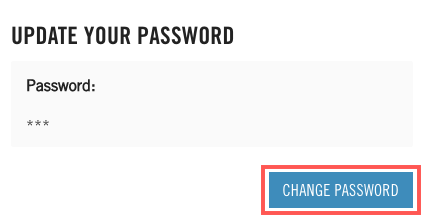
- Scroll down to the UPDATE YOUR PASSWORD section and click on CHANGE PASSWORD.
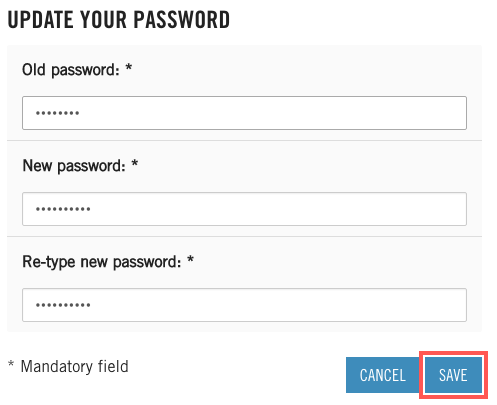
- Enter your Old password (which is the one we sent you in the email) and your New password (which needs to be entered twice) and click on SAVE.
Your password has now been changed. You can use it to log in to Native Access, My Account, on the Native Instruments website and the Community Forum.