
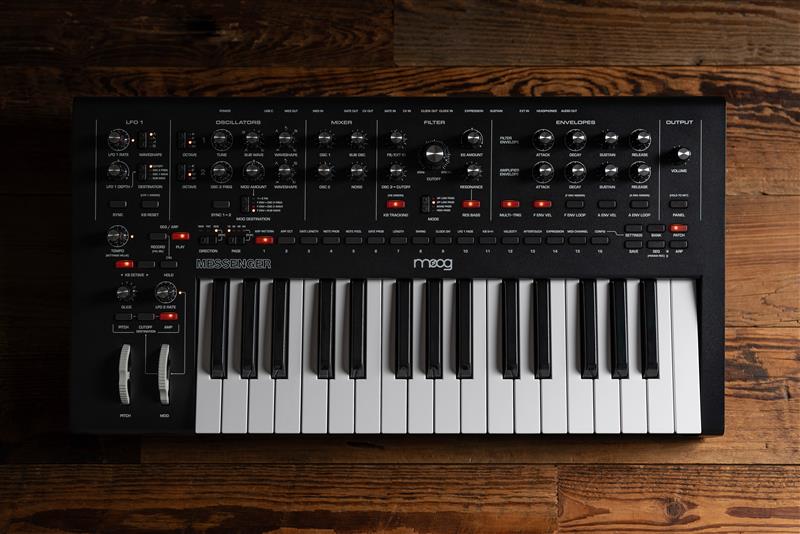
The Moog Messenger features a few extra glide functions that is not immediately obvious when looking at the synth's front UI. Exploring these hidden features can offer a variety of creative performance possibilities to explore.
TABLE OF CONTENTS
- What does the Glide do?
- Changing the Glide Configuration
- Legato Glide
- Gated Glide
- Glide Type - Exponential
- Glide Type - Linear Constant Rate (LCR)
- Glide Type - Linear Constant Time (LCT)
What does the Glide do?
Increasing the GLIDE control will increase the amount of time it takes to move from one note to the next, creating a portamento effect.
Changing the Glide Configuration
Enter CONFIG view by pressing SETTINGS and then PGM button 16 (CONFIG)
- Ensure Page LED 16 is lit – indicating you are on page 1 of the CONFIG options
- Press PGM button 3 to select CONFIG option 3 on page 1 (Glide Config). PGM button 16 will slowly flash to indicate you are in CONFIG view while PGM button 3 will quickly flash to indicate the currently selected CONFIG option
- You can now select your desired glide configuration:
- PGM 1 - Legato Glide On (lit) Off (unlit)
- PGM 2 - Gated Glide On (lit) Off (unlit)
- Both or neither of Legato & Glide can be selected per patch
- PGM 14 - Glide Type - Exponential
- PGM 15 - Glide Type - Linear Constant Rate
- PGM 16 - Glide Type - Linear Constant Time
- Only one glide type can be selected per patch
- Press SETTINGS to confirm your selection and exit CONFIG view.
Legato Glide
Legato glide only happens when notes overlap.
- When you play a second note while still holding the first, the pitch glides smoothly.
- If you release the first note before playing the next, there is no glide—the new note starts normally.
- Often tied to legato playing mode, where:
- The envelope (filter/amp) does not retrigger on overlapping notes.
Gated Glide
Gated glide happens on every note transition.
- Every new note will slide from the previous pitch, regardless of whether notes overlap.
- Even if you play staccato (separate notes), glide still occurs.
- Typically:
- The envelope retriggers for each note (unless separately set to legato mode).
Glide Type - Exponential
This is the synth's INIT setting glide type.
- The rate of change slows down as it reaches it's target location.
Glide Type - Linear Constant Rate (LCR)
The pitch will change at a constant speed.
- Short intervals glide quickly
- Large intervals glide slowly
Glide Type - Linear Constant Time (LCT)
Glide always takes the same amount of time, regardless of interval size.
- Short intervals glide slowly
- Large intervals glide quickly