
Symptom
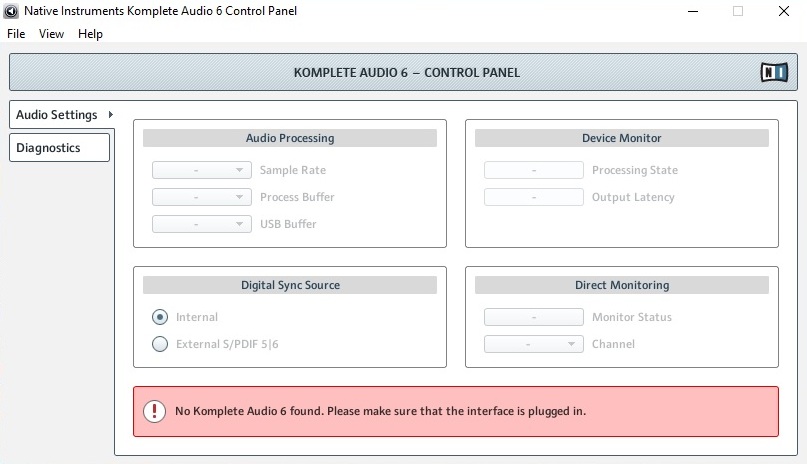
When starting the KOMPLETE AUDIO 6 Control Panel on Windows, the KOMPLETE AUDIO 6 MK2 device is not recognized and the software shows the following message:
No Komplete Audio 6 found. Please make sure that the interface is plugged in.
Cause
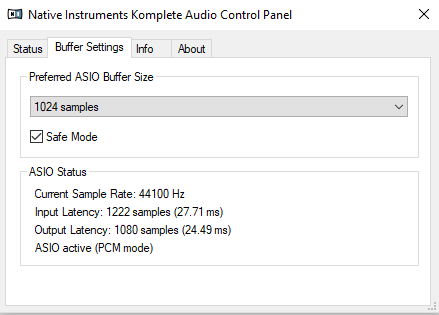
The KOMPLETE AUDIO 6 MK1 and MK2 utilize different Control Panel applications. The one shown in the picture above only works with the KOMPLETE AUDIO MK1. The MK2 Control Panel looks like this:
Solution
To solve this issue, install the KOMPLETE AUDIO 6 MK2 Driver:
- Disconnect the KOMPLETE AUDIO 6 from your computer.
- Open the Drivers & Other Files page.
- Download the latest driver for KOMPLETE AUDIO 6 MK2. In our example it is:
Komplete Audio 6 MK2 Driver 4.86.0 - Windows 10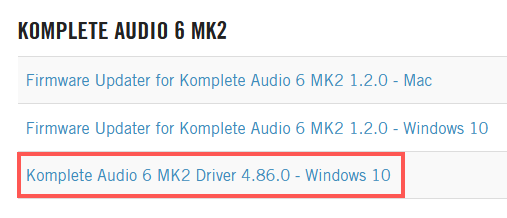
- Close all running applications.
- Launch the driver installer and follow the instructions.
- Connect your KOMPLETE AUDIO 6.
- Restart your computer.
The KOMPLETE AUDIO MK2 Control Panel is now available through your DAW or host application's preferences.