
Battery 4 is compatible with several third-party file formats including Apple Loops, EXS24, Gigastudio, Recycle, and others. For a full list of all Battery 4 compatible file formats, please refer to the System Requirements page.
This article will explain how to load a Recycle (.rx2) instrument into Battery. The same process applies to all other Battery-compatible file formats.
- Open Battery 4 in standalone mode or as a plug-in within your DAW.
- Click on the Files tab of the Battery 4 Browser.
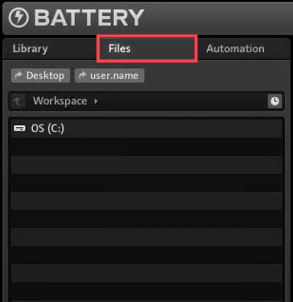
- The Files section displays your computer’s hard drives and files in a familiar tree structure. Navigate to the directory containing your Recycle file (.rx2). In this example, the folder is named My Samples and contains the Recycle file "Kick[90] Squared.rx2".
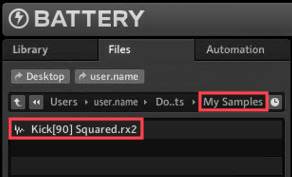
To load the instrument and its respective samples, either drag and drop the file to a free cell or double-click it.