This article shows how to import 3rd-party presets in Absynth, FM8, and Massive.
Note: Absynth, FM8, and Massive(original) each utilize the same type of preset and file browsing systems. This article applies to all 3 instruments in the same context. Massivewill be used in this example.
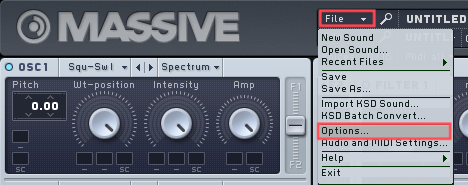
- Start Massive, then select File > Options.
- In Options, go to the Browser tab and click Add.
In FM8 Options, click the Database tab.
A new window will open where you can select the folder on your hard drive containing the 3rd-party presets (in this example a folder named Arps and Sequences). The respective entry will be added to the User Library Directories: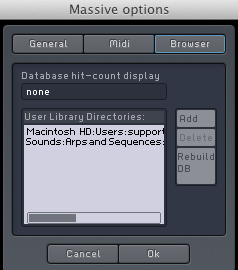
- Click on Rebuild DB followed by OK to close the Options.
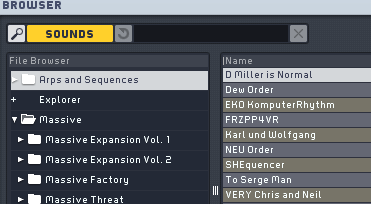
- Once the database rebuild is complete, the new folder and its presets will become available in the File Browser of your instrument.