
Sidechain compression can be useful to create a ducking or pumping effect on a particular audio source. The effect is usually triggered by a transient-heavy track (eg. a kick track).
This article will explain how to create such an effect in Logic Pro using the Native Instruments Vari Comp compressor on a bass. To demonstrate this setup, we have added two audio tracks in Logic Pro. The first track contains a kick drum playing each quarter note of a bar. The second track contains a bassline.
How to Create a Sidechain Compression Effect in Logic Pro
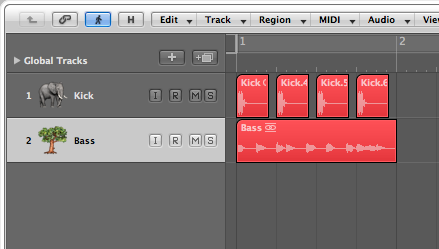
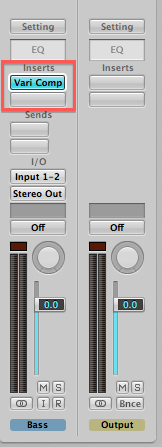
- On the bassline track, load the Vari Comp compressor as an effect plug-in.
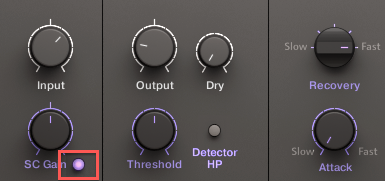
- Activate the Sidechain button (below the SC Gain knob) on the plug-in interface.
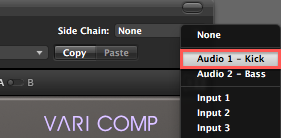
- Select Audio 1-Kick from the Side Chain drop-down menu.
- Now press PLAY in your sequencer. You should hear the Bass' volume being attenuated by the Kick track. Tweak the settings on the Vari Comp to create a strong or subtle ducking effect.