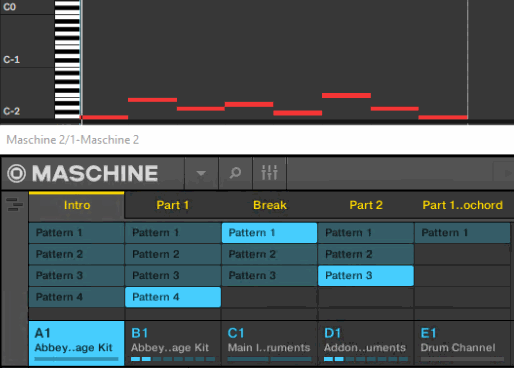
In this article, we explain how to set Maschine to trigger Scenes using MIDI notes in your DAW.
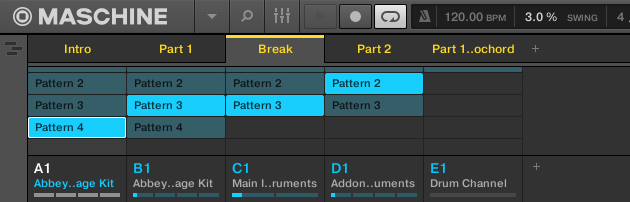
1. Setting Up the Maschine Plug-In
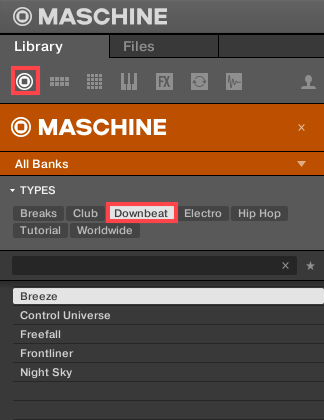
- Load Maschine in your DAW as a plug-in and open a Project. In this example, the Breeze project from the Factory Library is used.
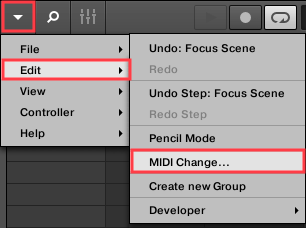
- In the Maschine software menu, go to Edit > MIDI Change.
- In the Scene area, set Trigger to MIDI Note and Channel to 1.

Note: Keep the Section and Lock fields set to None.
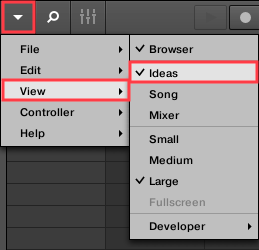
- Close the MIDI Change window and use the Maschine software menu to select View > Ideas.
2. Setting Up the MIDI Keyboard and DAW
- Record-enable the instrument track in your DAW where Maschine is loaded.
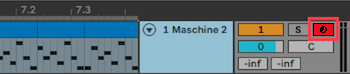
Note: The DAW used in this article may be different than yours, but the procedure is the same in every DAW.
- Use the octave-transpose buttons on your MIDI keyboard so the keymap reaches down to C-2. In this example, C-2 (i.e. "C Minus 2") is the C Key located two octaves down from C0 (i.e. "C-Zero").

3. Playing and Recording the Scenes in Your DAW
The note-keys C-2 and higher will activate the corresponding Scenes in Maschine.
In this example, these five scenes are triggered by the MIDI notes C-2 through E-2, and can be played in any order.
You can capture your MIDI Scene performance by clicking Record on your DAW transport bar.