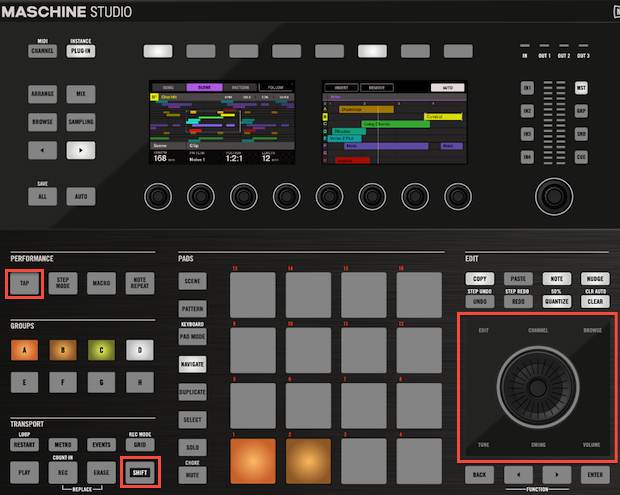
To adjust the Master tempo of MASCHINE 2.0 using the MASCHINE Studio Controller follow the instructions below:
- Press and hold down the Tap button of the MASCHINE Studio controller. While the Tap button is pressed down, the jog wheel will light up.
- Turn the Jog Wheel clockwise to increase the Master Tempo or or counter-clockwise to decrease the Master Tempo.
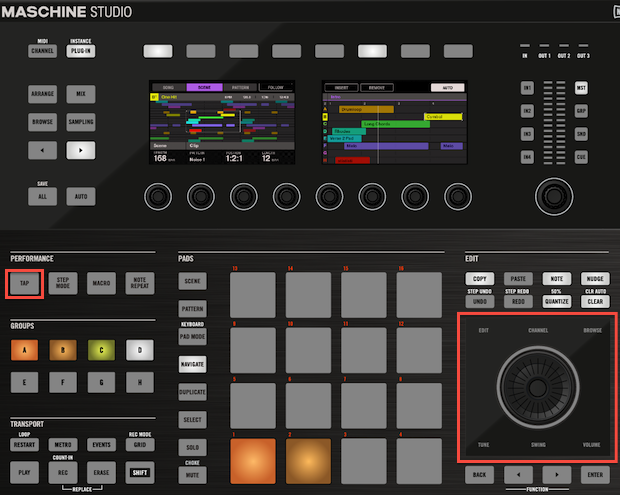
- To make fine tempo adjustments press the Tap as well as the Shift buttons and turn the Jog Wheel of the MASCHINE Studio Controller.