
Unfortunately, MASCHINE 1 projects can only be imported in MASCHINE 2 up to version 2.8.7.
Note: On macOS, this functionality is only available on systems running macOS 10.13.6 or a previous version.
Please follow these steps in order to temporarily downgrade to MASCHINE 2.8.7 and import your MASCHINE 1 projects in MASCHINE 2:
TABLE OF CONTENTS
Downgrade to MASCHINE 2.8.7
Import your MASCHINE 1 project in MASCHINE 2
- Start MASCHINE 2 standalone from:
- Mac: Macintosh HD > Applications > Native Instruments
- Windows: C: > Program Files > Native Instruments
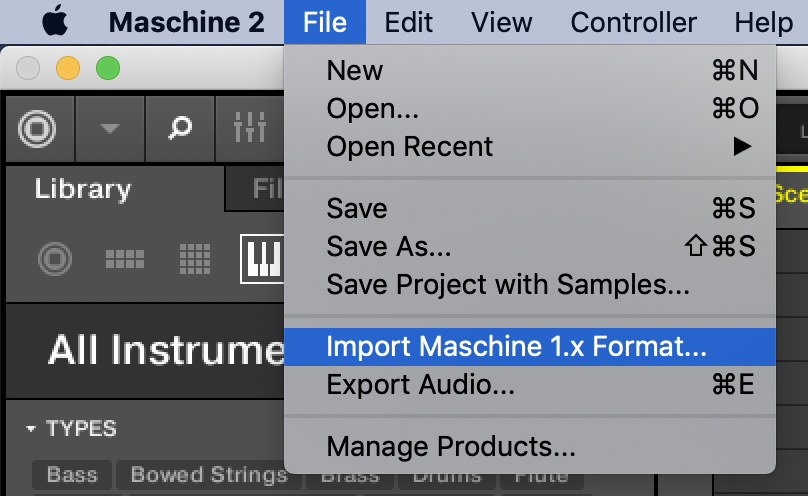
- Select File > Import Maschine 1.x Format...
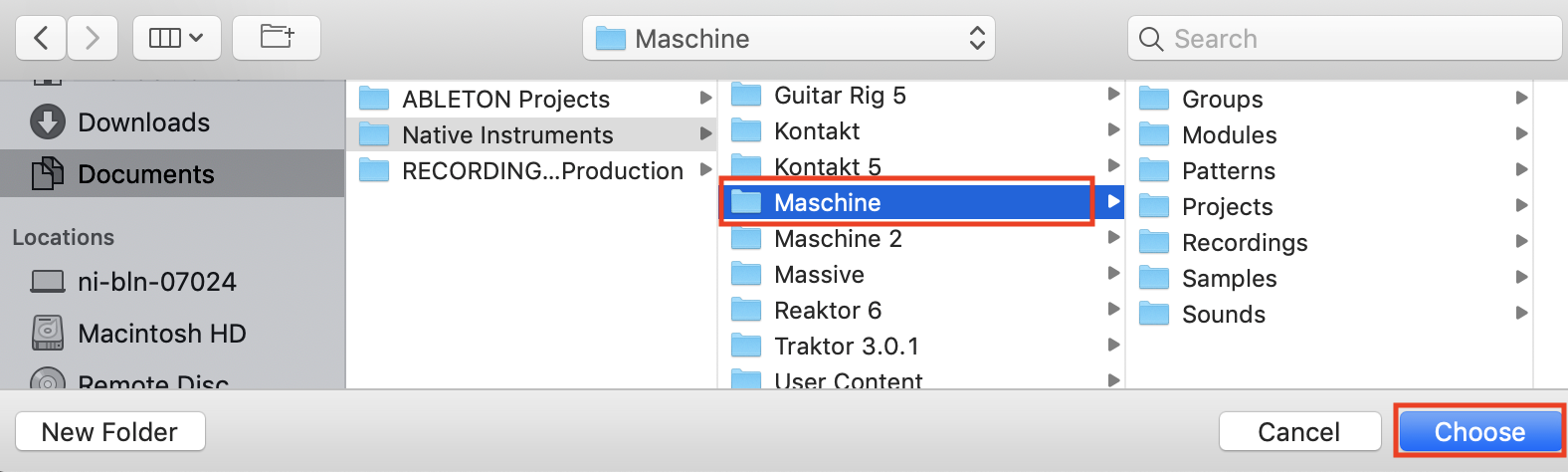
- Navigate to the main folder that contains all of your MASCHINE 1 user content. By default, the MASCHINE 1 user content path is:
- Mac: Documents > Native Instruments > Maschine
- Win: C: > Users > *Username* > My Documents > Native Instruments > Maschine
- Select the main Maschine folder and click Choose:
In order to see your imported MASCHINE 1 user content in MASCHINE 2's browser, make sure to select the Library Tab and set the Content Selector to User: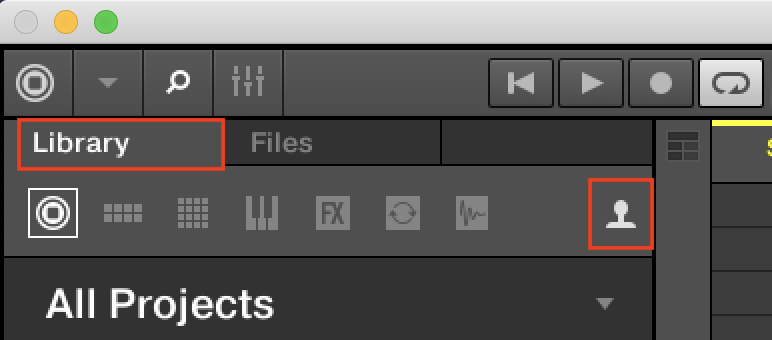
Reinstall MASCHINE 2
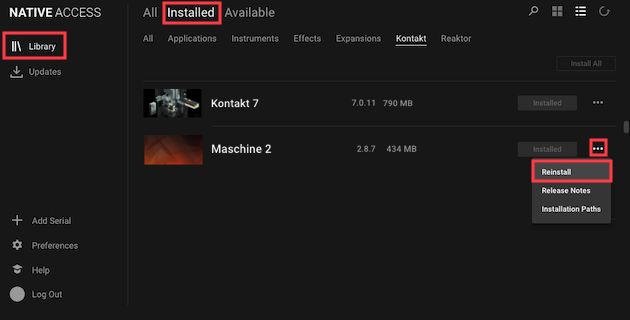
- Close MASCHINE 2 and start Native Access.
- Go to Library > Installed > Applications and select Reinstall from the three dots menu next to Maschine 2.
Now, you are ready to use your MASCHINE 1 projects in MASCHINE 2.