With the update 3.1.0, TRAKTOR PRO introduces the possibility to show the waveforms of your decks in parallel to each other as well as a single deck preparation view.
TABLE OF CONTENTS
Parallel Waveforms
This new functionality allows the waveforms of your decks to spread across the full width of the screen: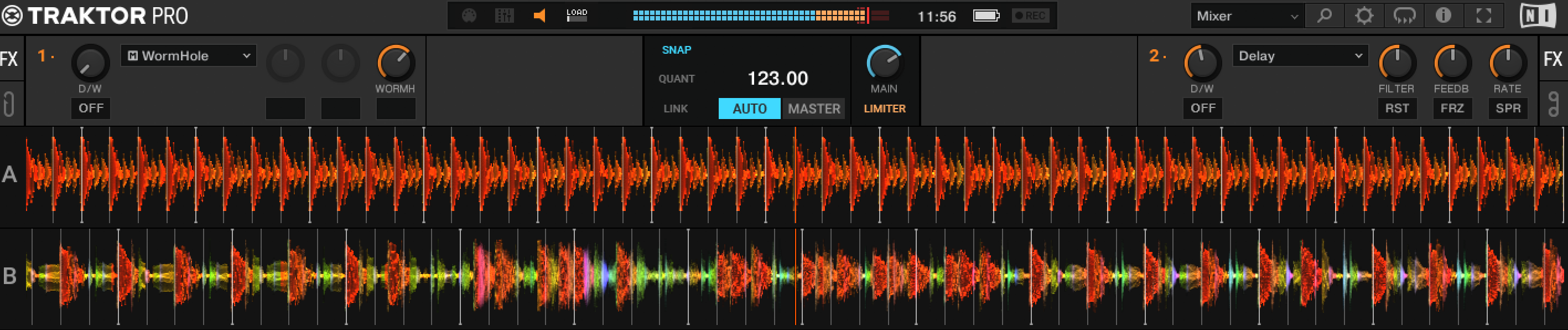
There two ways to enable Parallel Waveforms:
1. You can choose the Parallel layout from the Layout Selector dropdown. This will switch your layout to Parallel Full: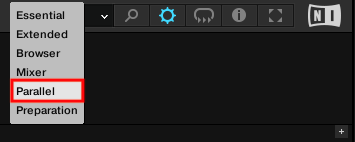
2. Alternatively, you can set your layout via the Preferences which allows you to choose between two Parallel layout sizes.
Open TRAKTOR Preferences > Decks Layout > Decks Layout > Size A & B and choose one of the Parallel layouts: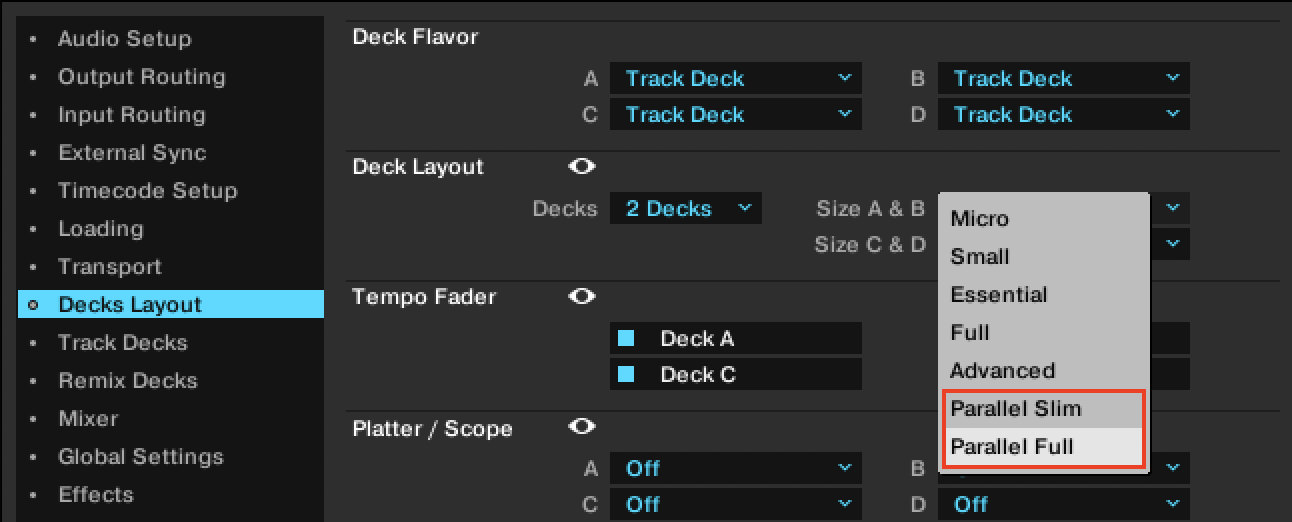
You can choose between these two layouts:
- Parallel Full - Showing the Advanced Panel of your Track Decks.
- Parallel Slim - Hiding the Advanced Panel of your Track Decks.
Single Deck View
In addition, TRAKTOR PRO 3.1.0 introduces the Single Deck View. In this dedicated preparation view, the waveform of the track loaded in Deck A spreads across the full width of the screen. For example, this is a useful function for editing Beat Grids.
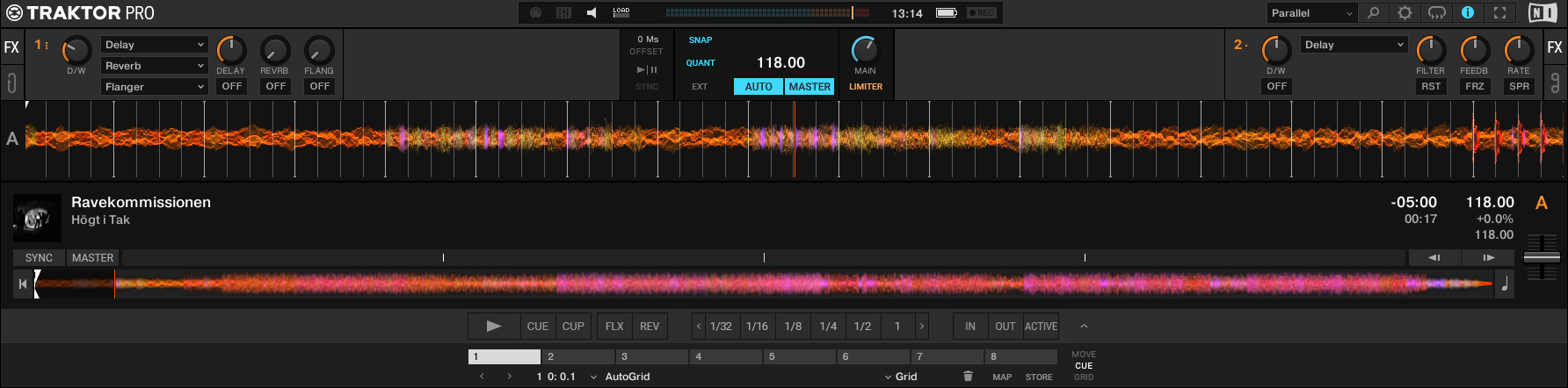
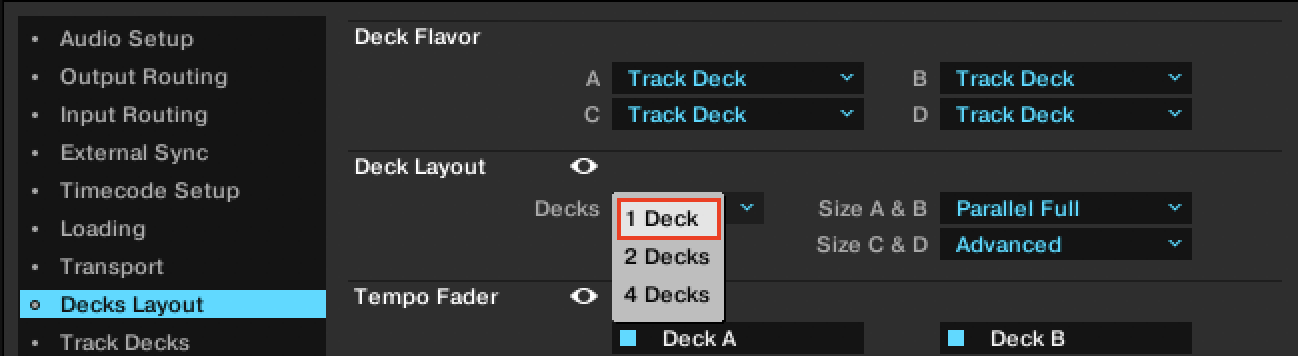
Set the number of visible decks to 1 Deck under Preferences > Decks Layout > Decks Layout > Decks: