
When installing a legacy Native Instruments download product on a macOS system, you may receive the following error message:
"*Product name*" can't be opened because it is from an unidentified developer.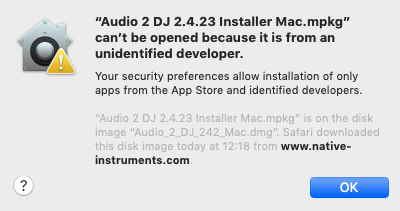
On newer macOS systems, you may also receive the message System Extension Blocked.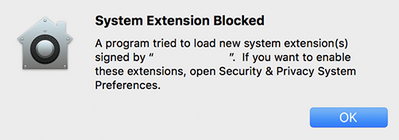
The above message is generated by the security feature Gatekeeper, which has been introduced in OS X 10.8. In the default configuration, it will prevent the use of legacy Native Instruments installers.
Note: All of our current products are Apple-certified, and the installer will run without any issues.
Please follow the steps below to install your Native Instruments product:
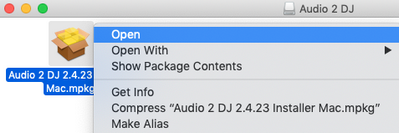
- Right-click the installer/application and select Open.
- Click Open.
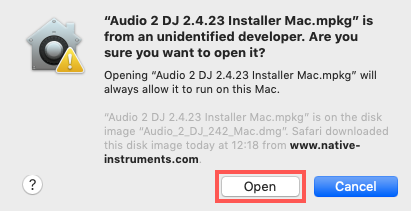
The installation will now run as expected!