Note: To reinstall a NI product on OS X 10.10 or above, refer to this article instead.
To reinstall a NI product on OS X 10.9, follow these steps:
- Delete the following file on your hard drive:
Macintosh HD > Library > Preferences > com.native-instruments.*Product Name*.plist - Restart your computer.
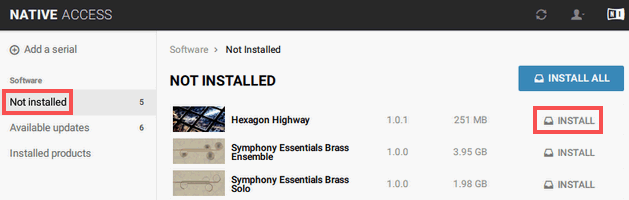
- Open Native Access and choose the Not installed tab. The list now includes the previously uninstalled product again. Click Install in the product entry to start the installation process.