
Setting up your hi-hat pedal and assigning open/closed hi-hat sounds correctly ensures a natural hi-hat performance. Please follow the steps below to get started:
1. Connect your hi-hat pedal to the hi-hat input, then set the SWITCH/VARIABLE toggle accordingly:
- Select SWITCH for a standard footswitch pedal.
- Select VARIABLE for a continuous (variable) pedal.
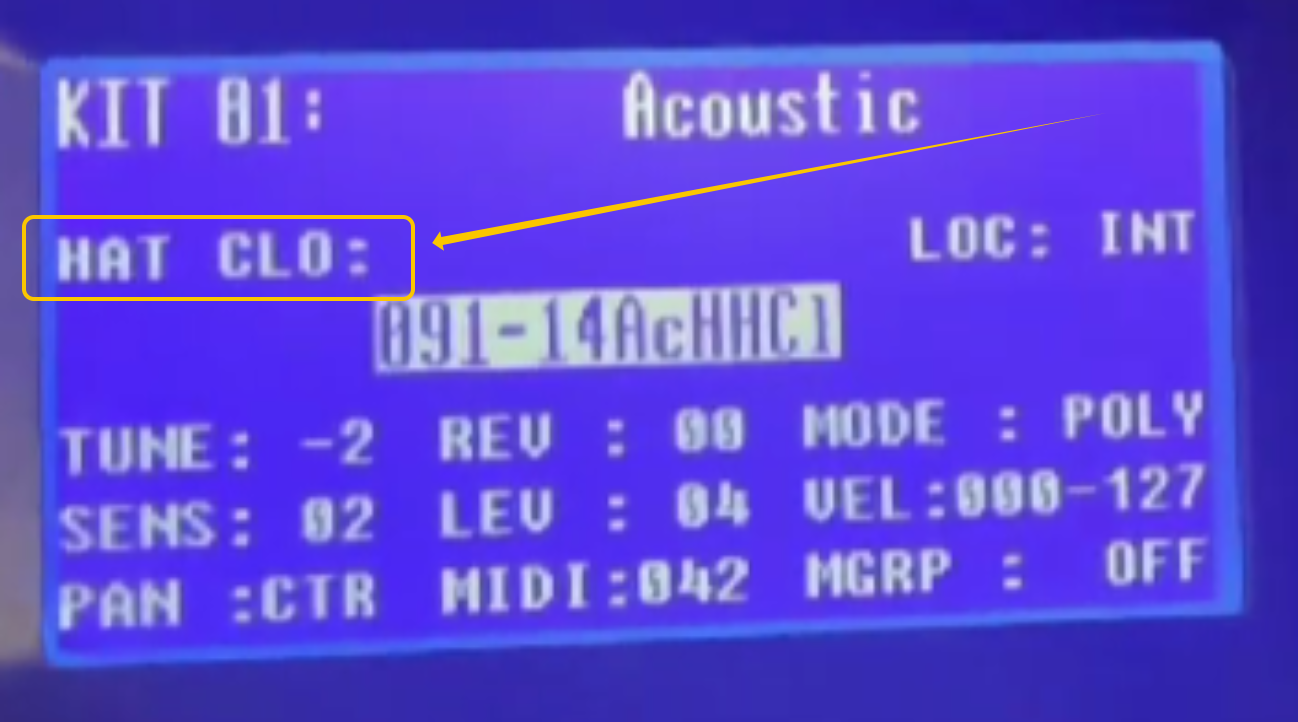
2. Strike the pad you want to use for the hi-hat. Then press and release your hi-hat pedal to confirm that “HAT OPE” and “HAT CLO” are displayed on the screen accordingly.
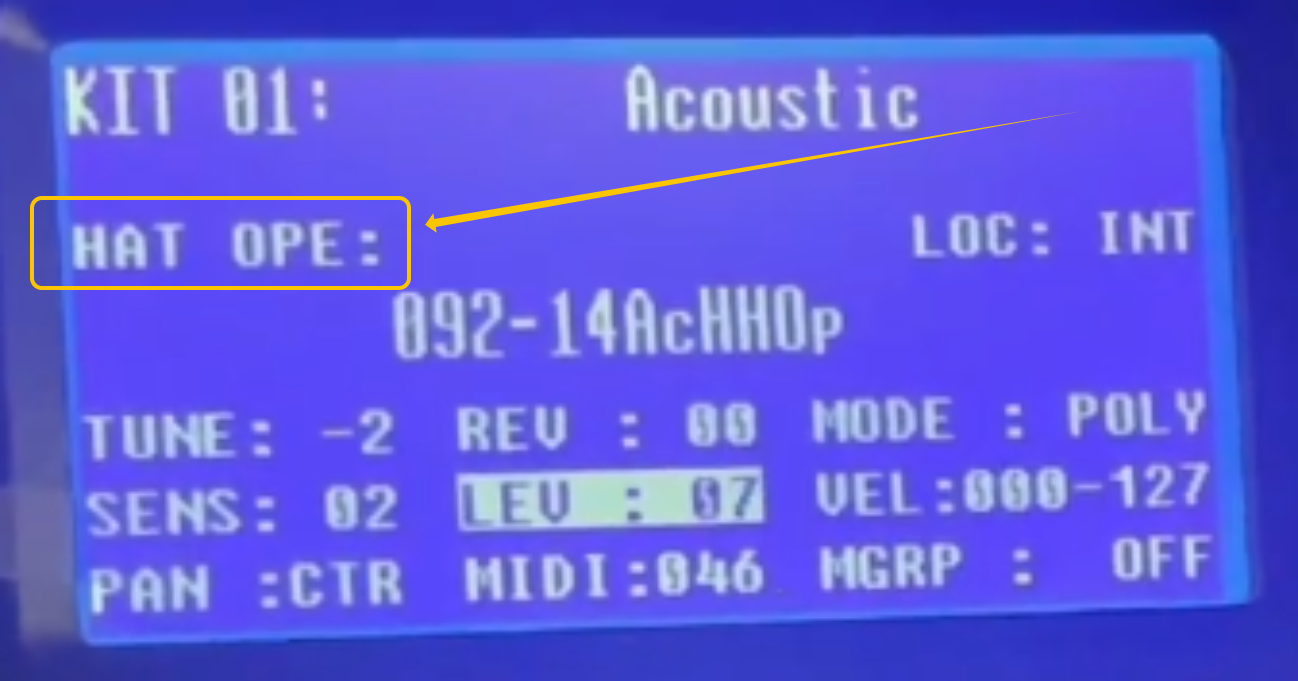
3. Whilst the hi-hat pedal is de-pressed and "HAT OPE" is displayed, use the left/right cursor buttons to navigate and assign an open hi-hat sound to the selected pad. I recommend using sound 092.
4. Now whilst the pedal is being held down and "HAT CLO" is displayed, use the cursor buttons to select a closed hi-hat sound. I recommend using sound 091.
After following the steps above, your hi-hat pad will respond to pedal movement, allowing you to easily switch between open and closed hi-hat sounds during your drum performance.