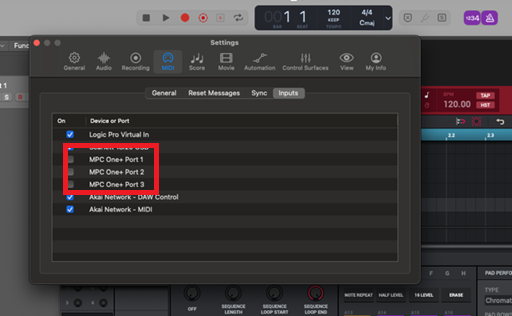
When using MPC hardware with the MPC desktop software or the MPC plugin on certain Apple silicon macOS systems, hardware buttons/controls may unintentionally trigger MIDI notes or MIDI input activity within the software or DAW host.
This behaviour can be resolved by adjusting the active MIDI input/output ports in the MIDI preferences menu.
TABLE OF CONTENTS
MPC Desktop Software
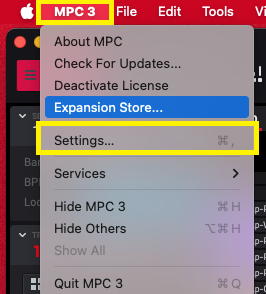
1. Go to MPC > Settings
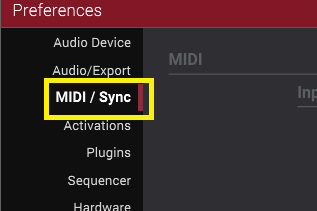
2. Click the MIDI / Sync tab (left panel)
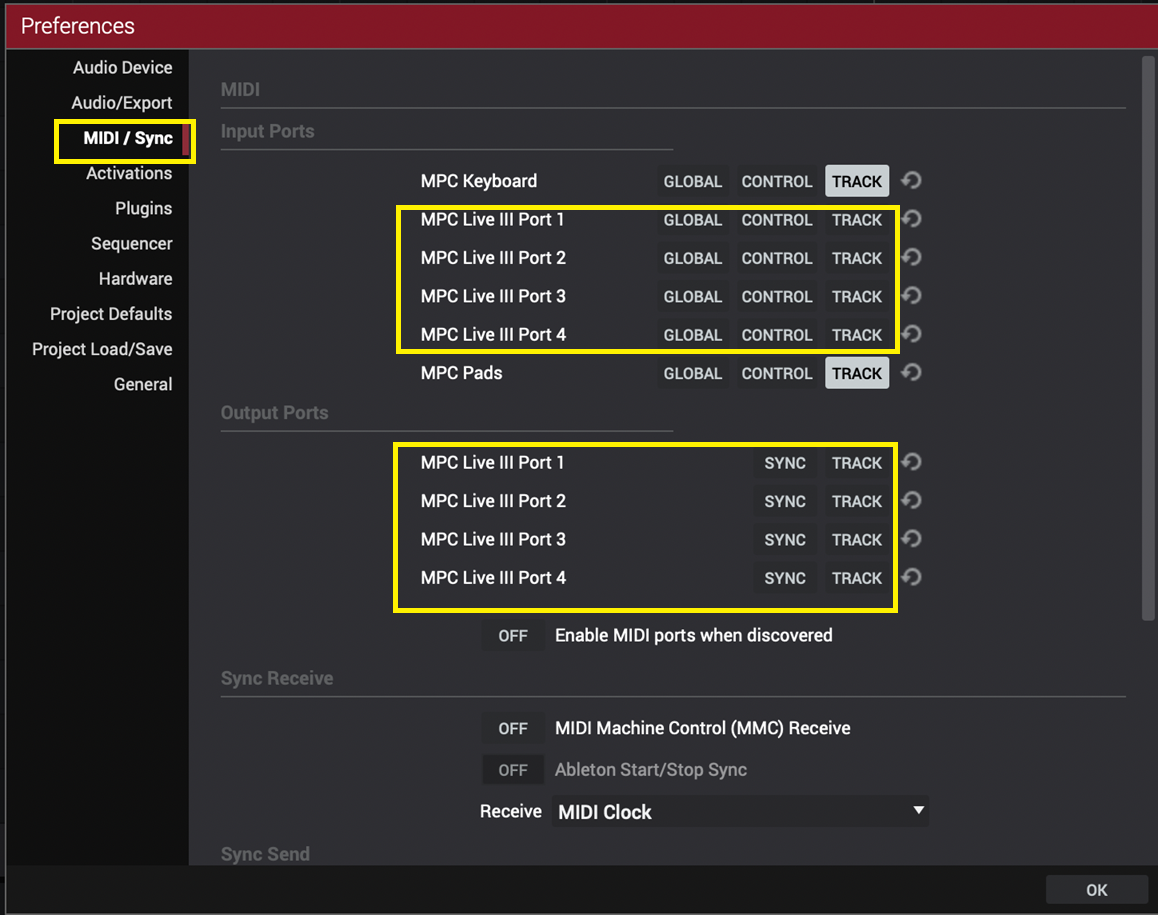
3. Uncheck/disable 'GLOBAL/CONTROL/TRACK' for the MPC Ports (Input)
4. Uncheck/disable 'SYNC/TRACK' for the MPC Ports (Output)
MPC Plugin
1. Go to the MIDI settings in your DAW
2. Uncheck all 'MPC' related ports like so: