Some users may encounter incorrect articulation triggering when using the Surge MIDI map in BFD3. The contents of this support article will help you troubleshoot and solve this problem by using an alternative mapping file.
TABLE OF CONTENTS
- Download the Alternative Surge Map
- Import the Alternative Surge Map into BFD3
- Disable Automatic Key Map Loading
Download the Alternative Surge Map
Download the alternative Alesis Surge Mapping file attached to this article - Scroll down to the bottom of this page, and download it from either a Windows or Mac computer.
Import the Alternative Surge Map into BFD3
Launch BFD3
Click the (☰) Icon, then File in the top menu
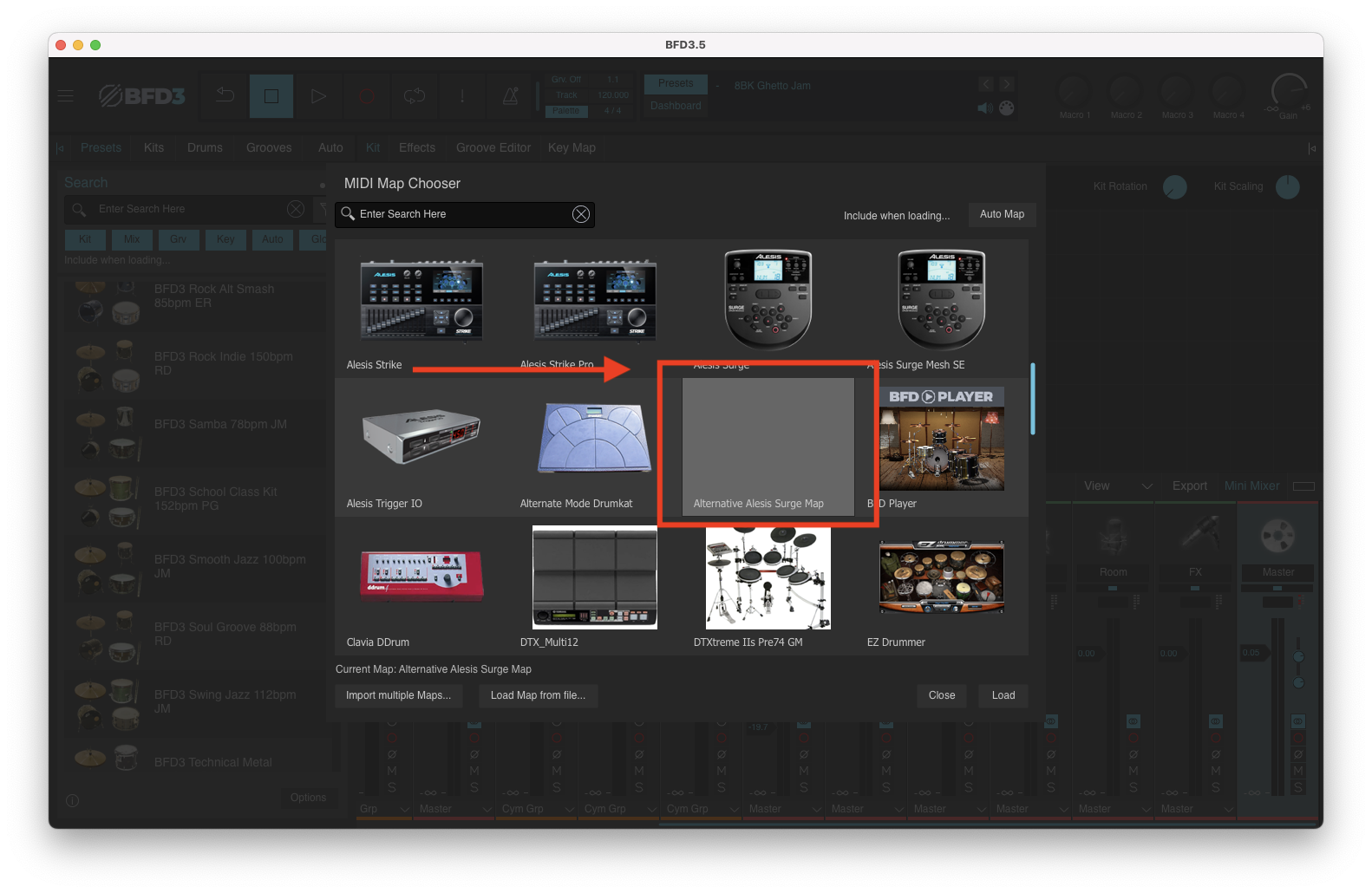
Select Load Key Map
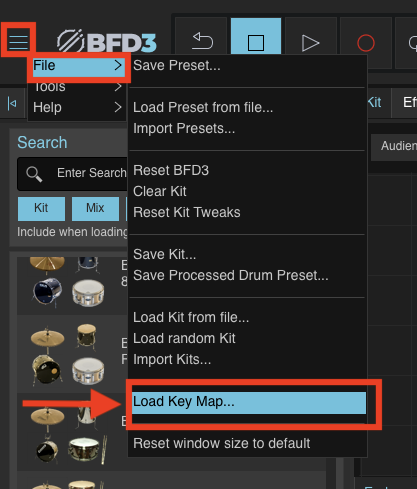
Click Load Key Map from file...
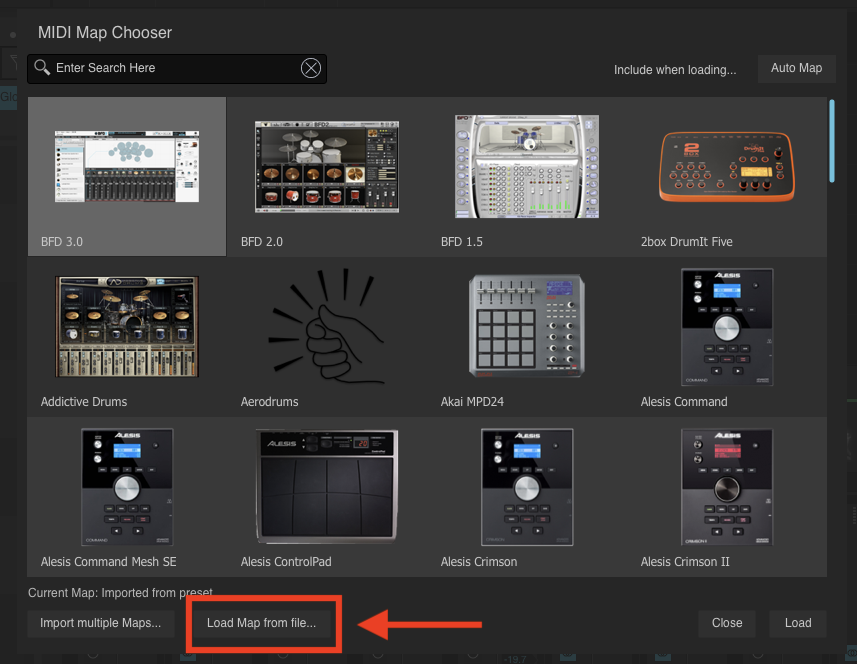
Navigate to the downloaded Alesis Surge Mesh SE.bfd3map file

Click Open
The Alternative Surge mapping will now be applied.
Disable Automatic Key Map Loading
To ensure the imported map remains active:
Locate the Key Map section
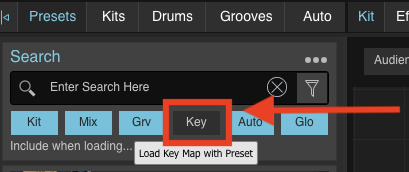
Disable automatic key map loading - Note, the 'Key' button will appear greyed out when disabled. If illuminated 'Blue', loading a preset will automatically load the BFD3 map by default.
Load your desired Preset