
When tapping a pad repeatedly, it can be useful to have it trigger different samples to add variation to your project. For example, instead of playing the same clap every time, a single pad could randomly trigger a clap, a click, and a rim sound, creating a more dynamic pattern. To try this, please follow the steps below:
1. Go to Menu > Browse > Samples. Once you’ve found the sounds you want to use, tap each one and select Load to Pool.
2. Go to Menu > Track Edit.
3. Strike Pad 1 so that it's selected.
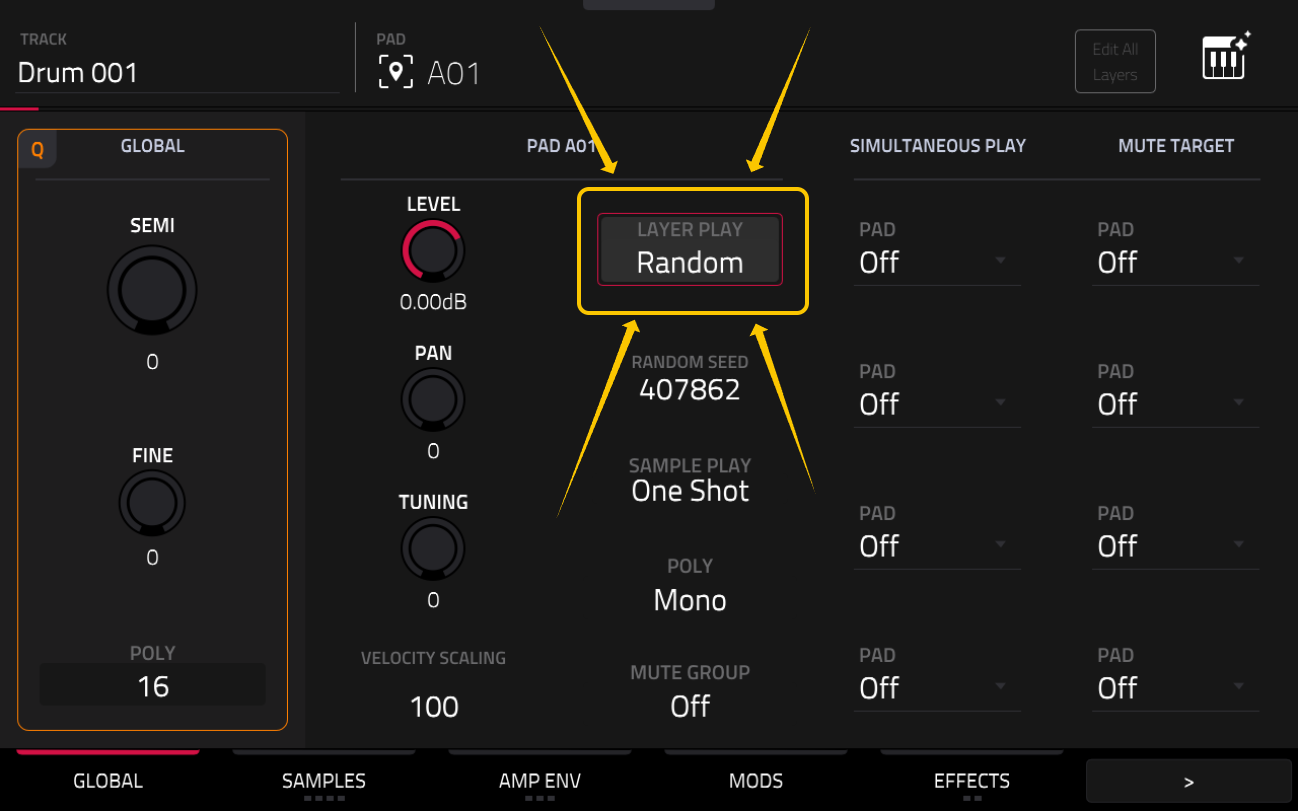
4. Double tap the Layer Play field, then select Random.
5. Tap the Samples tab, then tap the Layer 1 tab. Double‑tap the Sample field and select one of the samples you loaded in Step 1.
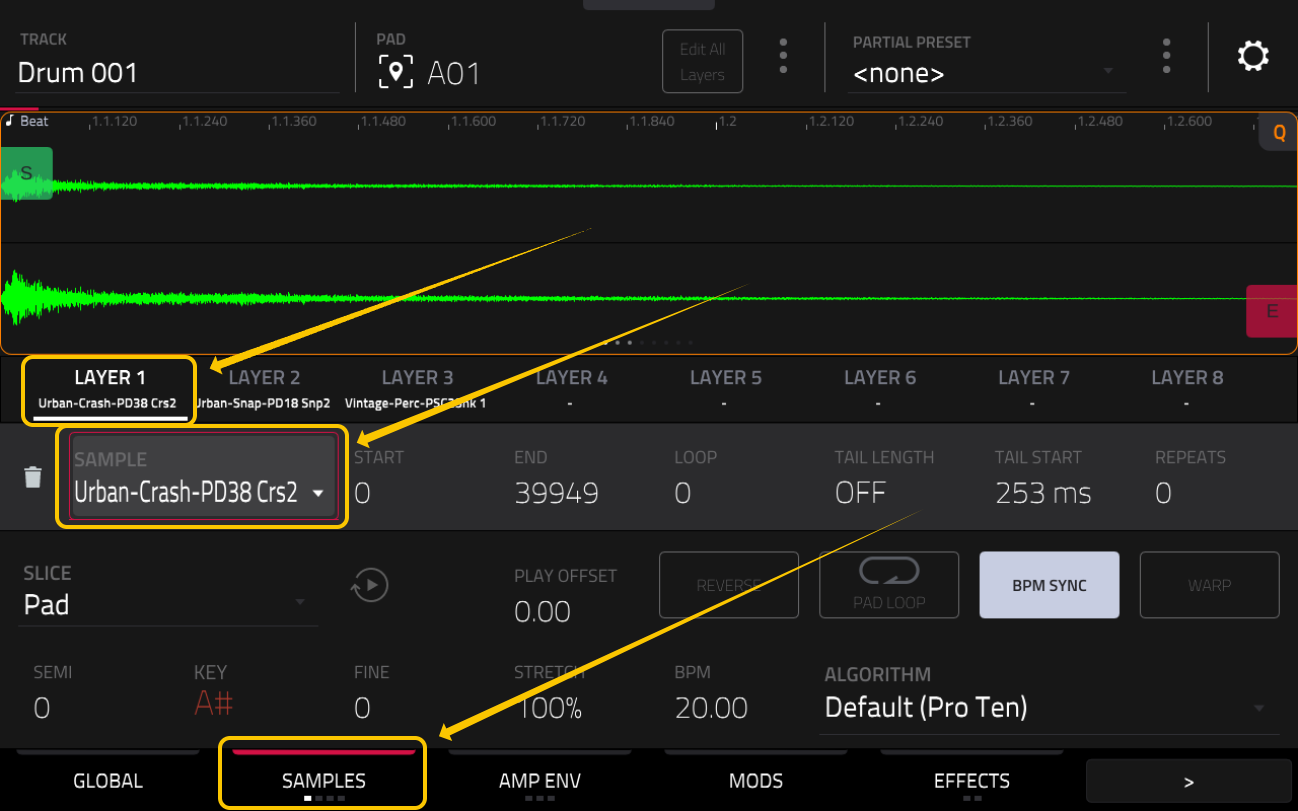
6. Tap Layer 2, double tap the Sample field, select a sample.
7. Tap Layer 3, double tap the Sample field, select a sample.
Now, when you repeatedly tap Pad 1, the three samples you selected will be triggered randomly, creating variation in your pad performance.