

TABLE OF CONTENTS
- MPC2 Project Import Process
- My MPC2 Projects Have Extra MIDI Tracks
- Locating Sequence Files (.sxq) on MPC3
- MPC3 Training & Support
MPC2 Project Import Process
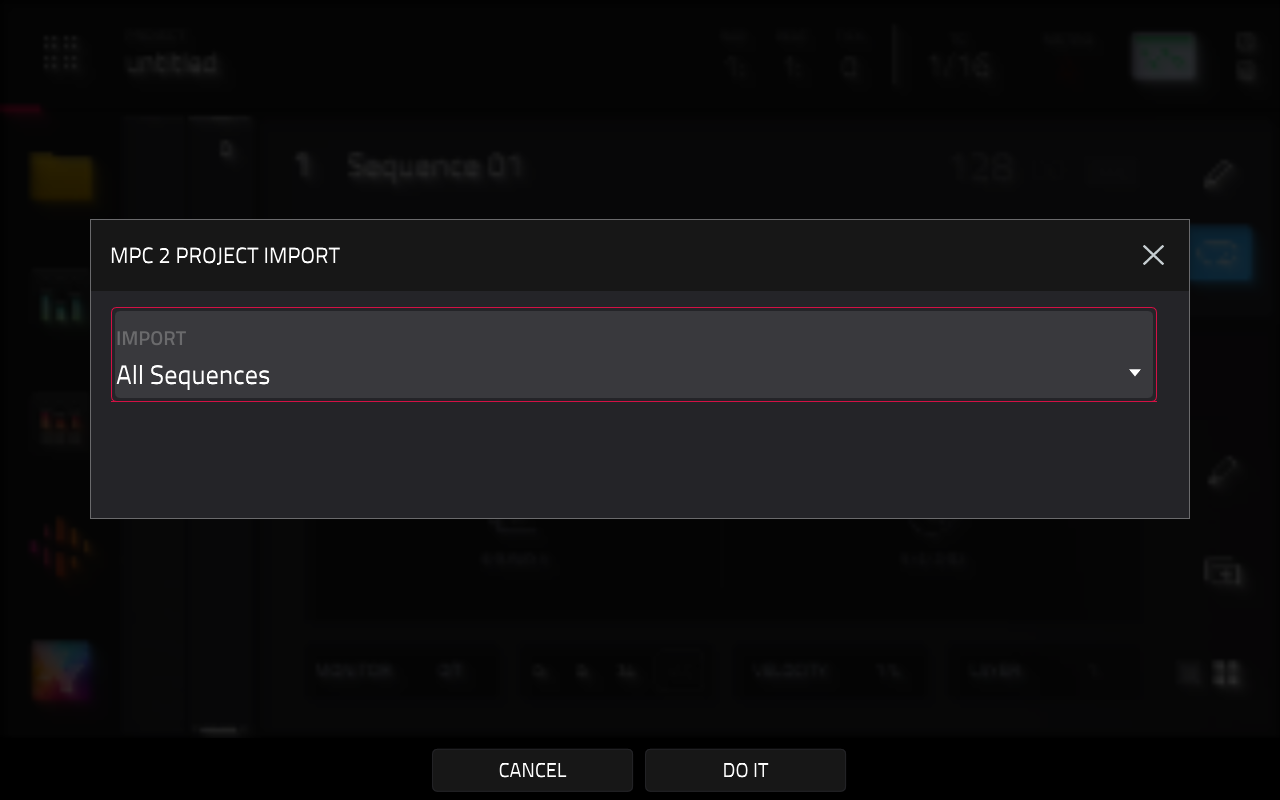
Upon loading an MPC2 project, MPC3 will display a Project Import dialog. By default, the Import field is set to All Sequences
Using this method:
- MPC3 will attempt to import all sequences and tracks from the MPC2 project.
- If a single track was assigned to a single program in MPC2, MPC3 will create a corresponding track of the same type as the original program.
- If multiple tracks were assigned to the same program in MPC2, MPC3 will create one primary track of the same type as the program, and subsequent tracks will be converted to MIDI tracks with their Send To field pointing to the primary track.
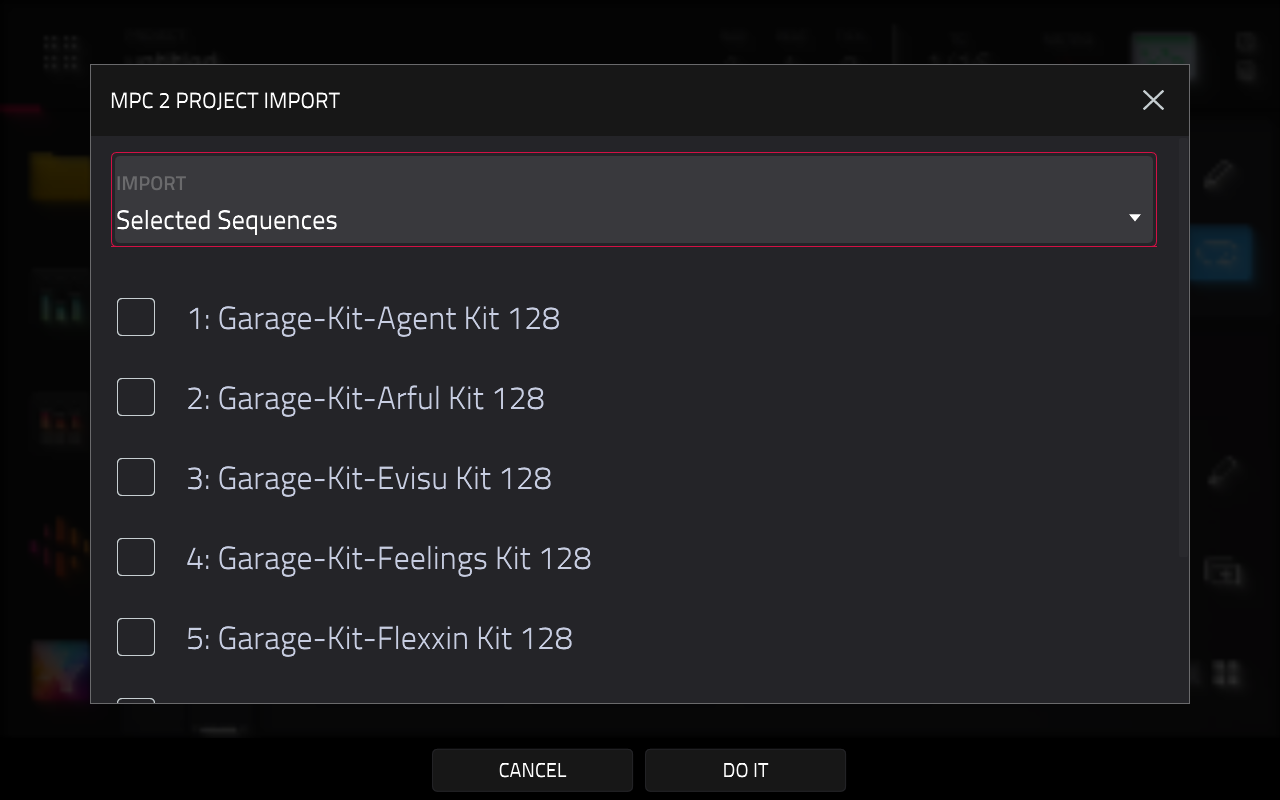
Alternatively, you can set the Import field to Selected Sequences Import
Using this method:
- A list of sequences from the source MPC2 project will be displayed, and you can tick the sequences you wish to import into MPC3.
- The selected sequences will load into their original locations within the sequence list
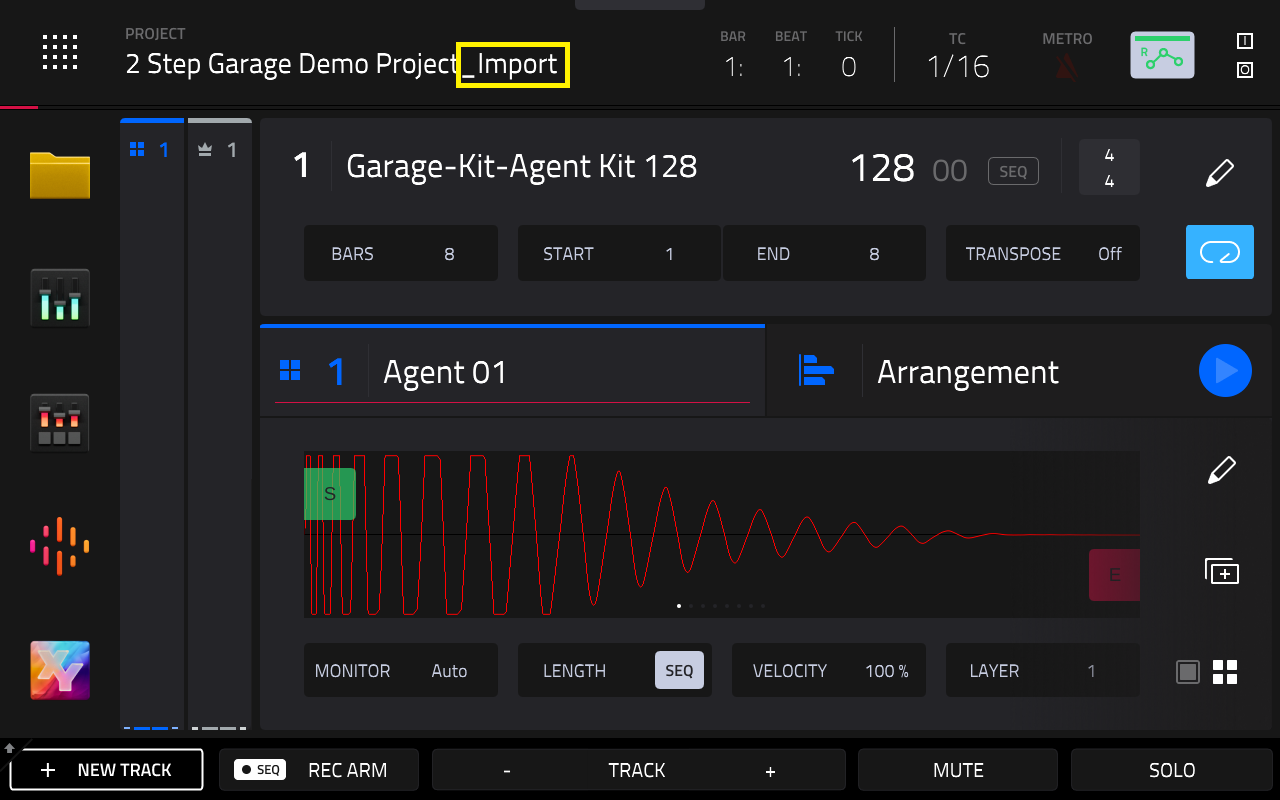
Please also note that once the MPC 2 project has been loaded into MPC3, it will have _Import appended to the project name:
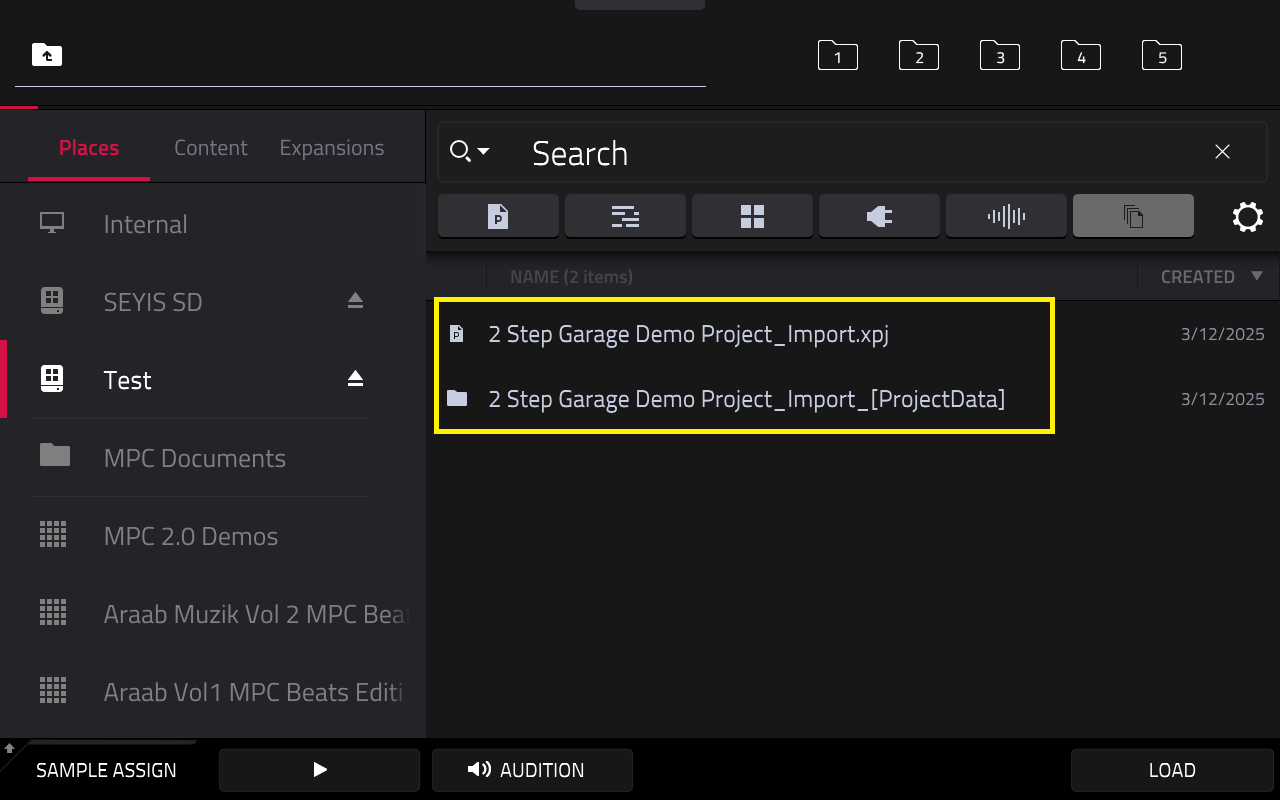
After saving the project, the MPC will also create a subsequent _Import_[ProjectData] folder with all your samples and plugin data information:
My MPC2 Projects Have Extra MIDI Tracks
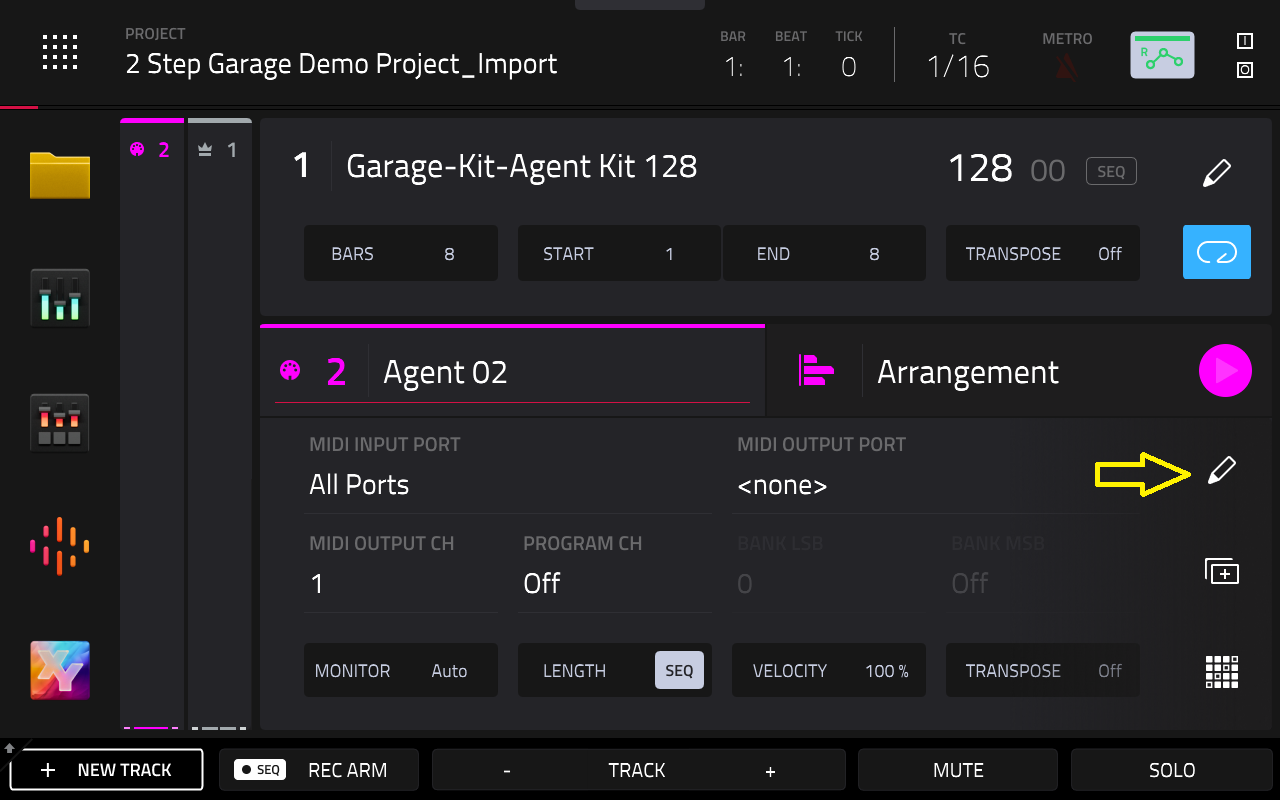
If you find that you have loaded an MPC2 project, and you find there are additional MIDI tracks - this is normal based on the information stated above.
1. To resolve this, delete the additional MIDI tracks by tapping on the pencil icon
2. Then tap Delete Track
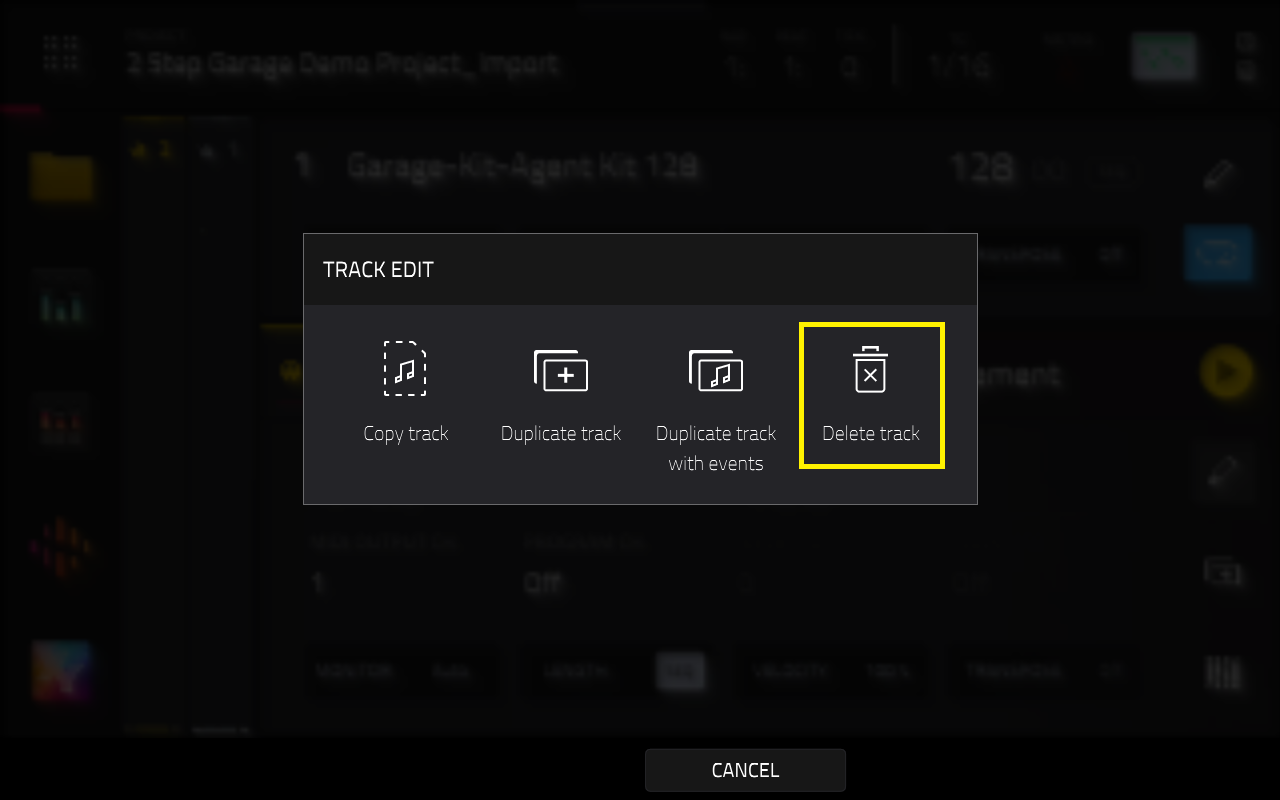
Repeat the same process for the remaining MIDI tracks.
3. Once done, save a new copy of this project via Menu > Save > Project As
Locating Sequence Files (.sxq) on MPC3
Further to this, MPC2 sequence files may not be immediately visible in the MPC3 Browser. In most instances, sequence files will be located within the Project Data folder(s).
To see sequence files in the MPC's Browser:
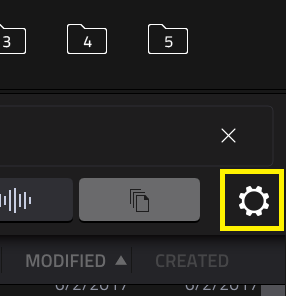
1. Tap the gear icon (top-right side of the screen) to reveal the Browser Options menu
2. After this, make sure that Hide project data folders is unchecked
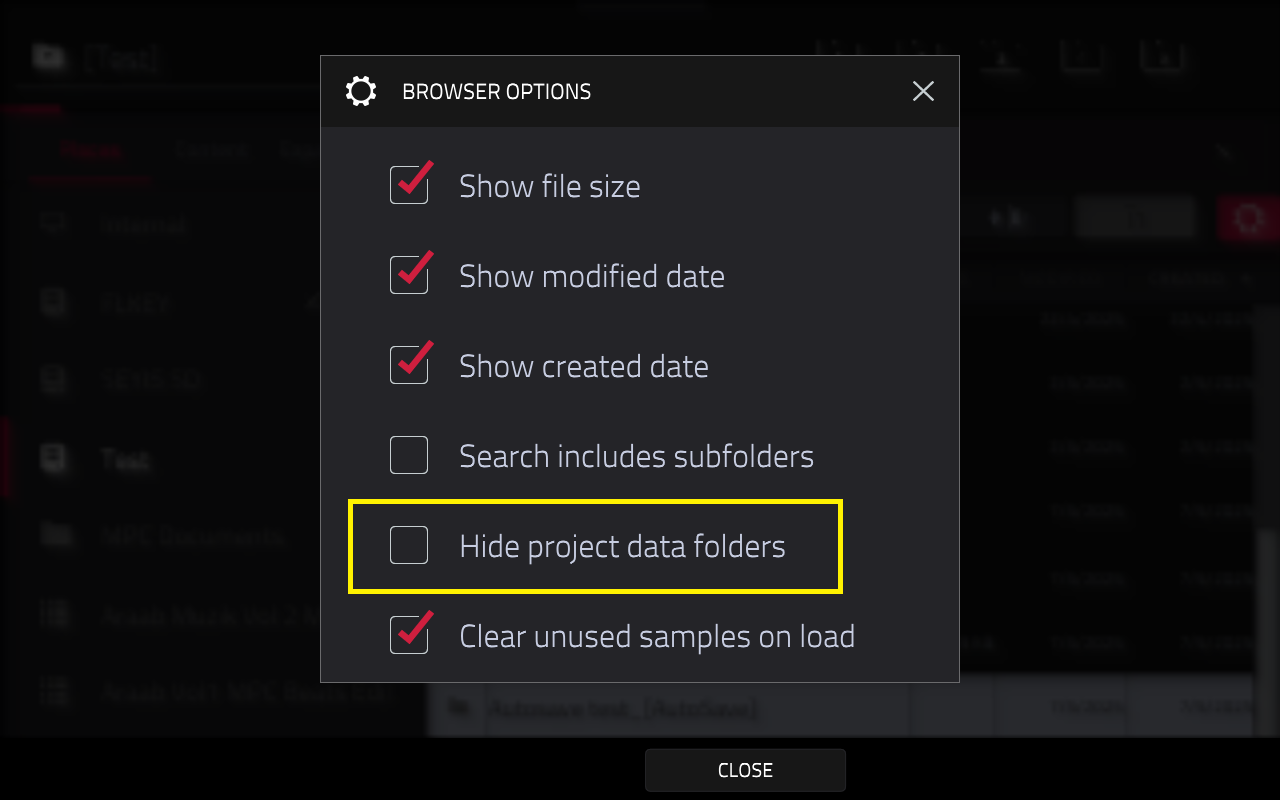
3. Tap Close.
4. The .sxq files will be in the ProjectData folder as normal

Please keep in mind that .sxq files will be converted into a MIDI track files when loaded from the Browser. Additionally, sequences can no longer be saved as .sxq files due to the architectural changes in the MPC3 OS.
For this reason, it is recommended that you load the project that contains the sequence as described in the MPC2 Project Import Process chapter.
MPC3 Training & Support
- MPC3 - FAQ : Akai Professional
- MPC Standalone OS v3.6 User Guide
- MPC Knowledgebase: Akai Professional
- MPC3 Playlist on Akai Professional - YouTube